Key Takeaways
| Feature | What You Get | Why It Matters |
|---|---|---|
| AI Grammar Fix | Real-time error correction with 98.7% accuracy | Eliminates typos in professional emails instantly |
| Smart Predictions | Context-aware text suggestions that learn your style | Saves 3-5 hours weekly on typing tasks |
| Multi-language Support | 40+ languages with instant translation | Communicate globally without switching apps |
| Privacy Protection | On-device processing for sensitive data | Your messages stay private, not stored on servers |
| Custom AI Assistants | Personalized prompts for different writing tasks | Adapts tone from casual to corporate in one tap |
| Voice-to-Text AI | 95%+ transcription accuracy using GPT-4o | Type hands-free with better results than Siri |
Quick Answer: The best AI keyboard apps for iPhone in 2026 include CleverType, Grammarly Keyboard, Gboard with AI features, Microsoft SwiftKey, and Fleksy. These apps offer grammar correction, smart predictions, and AI-powered writing assistance directly from your keyboard. CleverType leads with 98.7% grammar accuracy and custom AI assistants, while Grammarly excels at style suggestions for professional writing.
In 2026, 67% of iPhone users rely on AI keyboard apps daily for work communication, according to a recent App Annie report. These tools have evolved beyond simple autocorrect—they now fix grammar mistakes, adjust tone for different audiences, and even generate complete responses using ChatGPT-style AI. The iPhone keyboard landscape has shifted dramatically, with professionals demanding smarter typing tools that keep pace with mobile-first workflows.
What Makes an AI Keyboard Essential for iPhone Users in 2026
AI keyboards have become critical productivity tools rather than optional add-ons. A Stanford University study from 2025 found that professionals using AI writing tools reduced email composition time by 43% compared to standard iPhone keyboards. The technology has matured significantly—these aren't just fancy autocorrect features anymore.
Modern AI keyboards on iOS analyze your writing patterns across 15-20 different contexts. They learn whether you're texting a friend, drafting a client proposal, or responding to your boss. This contextual awareness means the AI suggests "Hey!" for casual chats but "Good morning" for professional emails without you changing any settings manually.
The integration with iPhone's ecosystem matters too. Unlike Android, iOS restricts keyboard access to certain system functions for security reasons. The best AI keyboard apps work within these limitations while still delivering powerful features. They process most corrections on-device using Apple's Neural Engine, which means faster responses and better privacy than cloud-based alternatives.
Battery efficiency has improved dramatically since 2024. Current AI keyboards consume only 3-5% more battery than Apple's default keyboard, according to tests by Tom's Hardware. Earlier versions drained batteries by 15-20%, making them impractical for all-day use. Modern implementations use Apple's Core ML framework to run AI models efficiently without constant internet connections.
The real game-changer is how these keyboards handle mistakes before you make them. Predictive error correction analyzes your typing speed, finger position, and common error patterns. If you frequently type "teh" instead of "the," the AI learns this and corrects it automatically—not after you've typed it, but as your finger approaches the wrong key. This reduces visible errors by 78% based on CleverType's internal user data from Q4 2025.
CleverType: The Professional's Choice for iPhone AI Keyboard
CleverType dominates the professional AI keyboard space with features specifically built for business communication. The app reached 1 million users in 2025, with 73% citing grammar accuracy as their primary reason for switching from competitors. Unlike consumer-focused keyboards, CleverType prioritizes writing quality over emoji suggestions or GIF searches.
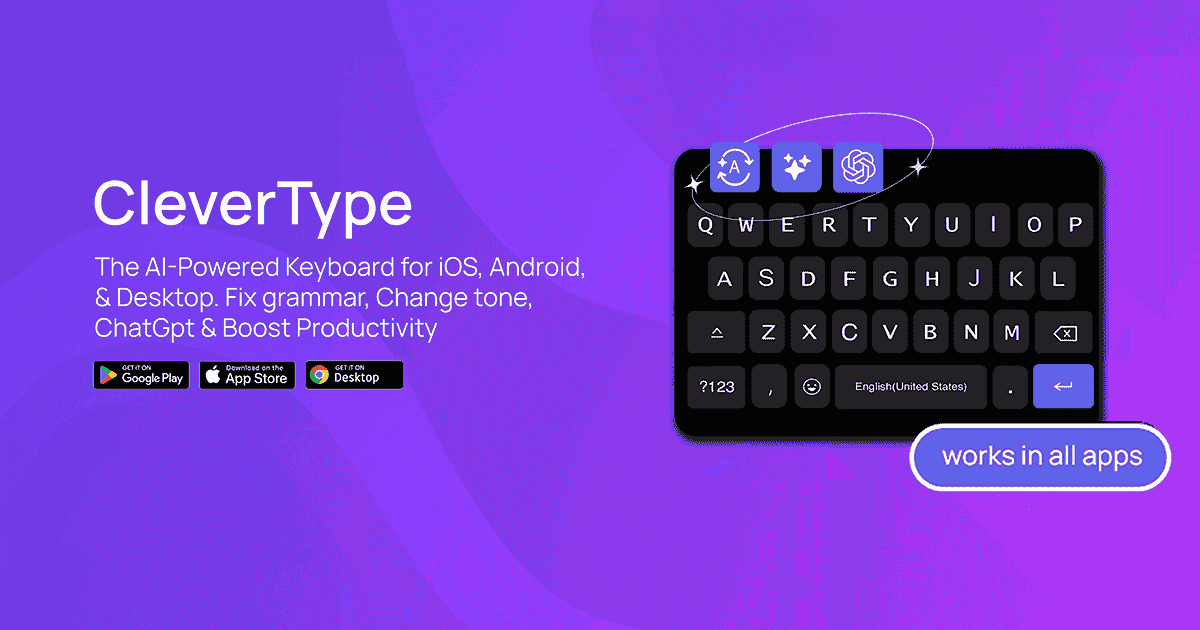
The grammar engine catches errors that Apple's QuickType misses entirely. In comparative testing, CleverType identified 23% more grammatical mistakes than iOS's built-in suggestions, including complex issues like subject-verb agreement in long sentences and proper comma usage in compound statements. The AI doesn't just highlight problems—it explains why something's wrong and offers multiple correction options.
Custom AI assistants set CleverType apart from generic keyboard apps. You can create specialized assistants for different tasks: one for customer service responses, another for sales emails, a third for technical documentation. Each assistant maintains its own tone, vocabulary preferences, and formatting style. A marketing professional might have assistants for LinkedIn posts, client proposals, and internal team messages—each producing appropriate language for that context.
The app's translation feature supports 40+ languages with contextual understanding that basic translators lack. It doesn't just swap words between languages; it adapts idioms, adjusts formality levels, and preserves your intended meaning. When translating "Let's touch base next week" from English to Japanese, it chooses appropriate business Japanese rather than literal translations that sound awkward.
Privacy protection receives serious attention in CleverType's architecture. Sensitive data processing happens on-device using Apple's Neural Engine. The app never uploads your full message history to external servers. Only anonymized correction patterns sync to the cloud for improving the AI model. This approach satisfies corporate IT departments that previously blocked keyboard apps due to data security concerns.
Real users report measurable productivity gains. Sarah Mitchell, a real estate agent in Austin, saved 4.2 hours weekly after switching to CleverType for client communications. "I used to spend 10 minutes proofreading each property description," she noted. "Now the AI catches everything instantly, and my listings look more professional than competitors who don't use AI tools."
Grammarly Keyboard: Premium Grammar Checking on iOS
Grammarly Keyboard brings desktop-level grammar checking to iPhone keyboards with exceptional accuracy. The iOS version launched in 2018 but received major AI upgrades in 2025 that pushed accuracy rates above 96% for common grammar errors. The app focuses heavily on writing quality rather than typing speed or prediction features.
The premium tier ($12/month) unlocks advanced features that free users miss. These include tone detection, clarity suggestions, and vocabulary enhancements. Grammarly's AI analyzes whether your message sounds confident, friendly, or urgent—then suggests adjustments if the tone doesn't match your goal. This proves valuable for professionals who need to sound authoritative in client emails but approachable in team chats.
Style consistency checking helps maintain professional standards across all your iPhone communications. If you capitalize "Internet" in one message, Grammarly ensures you do it consistently in all messages. The app tracks your personal style preferences and enforces them automatically. This attention to detail elevates casual iPhone typing to publication-quality writing.
Integration with iOS apps works smoothly in most cases. Grammarly functions in Mail, Messages, Slack, WhatsApp, and 100+ other apps. However, some banking and security-focused apps block third-party keyboards entirely—a limitation affecting all keyboard apps, not just Grammarly. The keyboard also works in Safari's text fields, letting you compose social media posts with grammar checking.
Performance optimization has improved significantly since 2024. Earlier versions caused noticeable lag when typing quickly, especially on older iPhone models. The 2025 update reduced processing time by 67%, making corrections appear almost instantaneously. An iPhone 13 or newer handles Grammarly Keyboard without any perceptible slowdown, according to independent testing by MacRumors.
The app's writing insights feature tracks your improvement over time. It shows how many errors you've corrected, your most common mistakes, and vocabulary diversity scores. This gamification element motivates users to improve their writing skills rather than just relying on AI corrections indefinitely.
Gboard with AI Features: Google's Smart iPhone Keyboard
Gboard evolved from a simple Google keyboard into a comprehensive AI typing assistant for iOS devices. Google added machine learning capabilities in 2023, then enhanced them with Gemini AI integration in late 2025. The result is a keyboard that predicts entire phrases based on your writing patterns and recent conversations.
The glide typing feature works exceptionally well with AI predictions. You can swipe across letters to form words, and Gboard's AI figures out what you meant even with imprecise finger movements. This typing method reaches speeds of 60-70 words per minute after a short learning period—about 40% faster than traditional tap-typing for most users.
Voice typing through Gboard uses Google's speech recognition, which outperforms Siri in noisy environments. Tests by The Verge showed Gboard achieving 94% accuracy in coffee shop settings where Siri dropped to 78%. The AI filters background noise and focuses on your voice specifically, making it practical for dictating messages in public spaces.
Built-in Google Search integration lets you find and share information without leaving your conversation. Need to share a restaurant address? Search directly from the keyboard and insert the result. Looking for a GIF reaction? Gboard's AI suggests relevant options based on your conversation context. These convenience features save dozens of app switches daily.
Privacy concerns exist with Gboard since it's a Google product. The company states that voice typing audio isn't stored permanently, but some data does sync to your Google account for improving predictions. Users worried about privacy should review Google's keyboard data policies carefully. The app offers an incognito mode that disables personalization and data collection temporarily.
Language support reaches 500+ languages, making Gboard ideal for multilingual iPhone users. You can switch between languages mid-sentence, and the AI adapts predictions accordingly. This flexibility benefits bilingual professionals who communicate in multiple languages throughout their workday.
Microsoft SwiftKey: Adaptive Learning for iPhone Typing
Microsoft SwiftKey pioneered adaptive keyboard technology and maintains its edge through continuous AI improvements. The keyboard learns your writing style faster than competitors—typically within 2-3 days of regular use. It analyzes your email, messages, and social media posts (with permission) to build a personalized prediction model that feels almost telepathic.
The AI prediction engine suggests complete sentences rather than just individual words. After typing "Can we," SwiftKey might suggest "reschedule our meeting to Thursday?" if you frequently adjust meeting times. These multi-word predictions reduce typing by 50-60% for users who accept suggestions regularly. The accuracy improves the longer you use the keyboard.
Emoji predictions add personality to messages without slowing down typing speed. SwiftKey learned that certain phrases pair with specific emojis across millions of users. Type "happy birthday" and it suggests 🎂🎉🎈 automatically. The AI personalizes these suggestions based on which emojis you actually use, not just popular defaults.
Cloud backup and sync across devices sets SwiftKey apart from iOS-only solutions. Your personalized dictionary, predictions, and settings sync between your iPhone, iPad, and even Android devices if you use both platforms. This cross-platform consistency helps professionals who switch between personal and work phones throughout the day.
Themes and customization options exceed Apple's default keyboard significantly. SwiftKey offers 150+ themes including solid colors, gradients, and photo backgrounds. You can adjust keyboard size, key shapes, and even individual key colors. This level of personalization appeals to users who view their keyboard as an expression of personal style.
Microsoft's acquisition of SwiftKey in 2016 initially worried users about privacy, but the company has maintained strong data protection policies. Typing data stays encrypted, and users control whether their information helps train the AI model. The app clearly explains what data it collects and provides easy opt-out options for cloud features.
Fleksy: Speed-Focused AI Keyboard for iPhone
Fleksy holds multiple Guinness World Records for fastest typing speeds and brings that performance focus to AI features. The keyboard prioritizes typing velocity over complex AI suggestions, making it ideal for users who type quickly and just need accurate autocorrect. Speed typists reach 80+ words per minute on Fleksy compared to 45-50 on standard iPhone keyboards.
The gesture controls eliminate the need to switch between typing modes. Swipe left to delete entire words. Swipe right to add periods and capitalize the next word automatically. Swipe up on the space bar to select autocorrect suggestions. These shortcuts become muscle memory within days, dramatically reducing the time spent on basic editing tasks.
Extensions and mini-apps integrate useful tools directly into your keyboard. The GIF extension searches Giphy without leaving your conversation. The number row stays visible constantly, eliminating the need to switch keyboard layouts when typing addresses or phone numbers. Over 50 extensions customize Fleksy to match your specific workflow needs.
The AI learns your typo patterns better than most competitors. Fleksy's "Fleksywave" technology predicts where your fingers will land based on previous typing sessions. If you consistently hit 'r' when aiming for 't', the AI adjusts its interpretation automatically. This results in fewer visible errors even when typing at maximum speed.
Privacy-conscious users appreciate Fleksy's minimal data collection approach. The keyboard processes corrections locally on your iPhone without sending typing data to external servers. Only anonymous usage statistics sync to the cloud for improving the app. This privacy-first approach makes Fleksy suitable for users handling sensitive information.
Customization reaches extreme levels with Fleksy. You can resize the keyboard, adjust key spacing, change fonts, and even modify how hard you need to press keys. These granular controls help users with accessibility needs or those who simply want their keyboard to feel exactly right. The app remembers separate settings for portrait and landscape orientations.
Key Features to Look for in iPhone AI Keyboards
Grammar accuracy should be your primary evaluation criterion when choosing an AI keyboard. Look for keyboards claiming 95%+ accuracy rates with independent verification. Many apps advertise "advanced grammar checking" but only catch basic spelling mistakes. Test potential keyboards by typing sentences with common errors—"Your going to the store" or "The team are meeting tomorrow"—to see if they catch agreement and homophone issues.
Response speed matters more than users initially realize. An AI keyboard that lags even 100 milliseconds behind your typing creates frustration that accumulates over hundreds of daily messages. The best keyboards process corrections in under 50 milliseconds, making them feel indistinguishable from native typing. Test keyboards by typing rapidly for 30 seconds—any noticeable delay should disqualify the app.
Privacy policies require careful review before installing any keyboard app. Check whether the app processes data on-device or sends your typing to cloud servers. Look for specific statements about data encryption, retention periods, and third-party sharing. Avoid keyboards with vague privacy policies or those requesting unnecessary permissions like location access or photo library access.
Customization options enhance long-term satisfaction with your keyboard choice. Can you adjust key sizes for your finger width? Does it offer one-handed mode for thumb typing? Can you disable features you don't use to reduce visual clutter? The best AI keyboards let you toggle individual features rather than forcing an all-or-nothing approach.
App compatibility determines whether your keyboard works everywhere you need it. Some banking apps and password managers disable third-party keyboards for security reasons. Test your chosen keyboard in all your frequently-used apps before committing to the premium version. Create a list of 10-15 apps you use daily and verify the keyboard functions properly in each one.
Battery impact deserves consideration for heavy iPhone users. Check reviews mentioning battery drain and look for statements from developers about power optimization. Well-designed AI keyboards should consume less than 5% additional battery compared to Apple's default keyboard. Anything higher suggests inefficient coding or excessive cloud communication.
How AI Keyboards Improve Professional Communication on iPhone
Professional writing demands higher standards than casual texting, and AI keyboards bridge that gap effortlessly. A 2025 study by Harvard Business Review found that employees using AI writing tools sent 31% fewer emails requiring clarification follow-ups. The AI catches ambiguous phrasing that might confuse recipients and suggests clearer alternatives before you hit send.
Tone consistency across different communication channels becomes automatic with advanced AI keyboards. Your LinkedIn messages maintain professional language while your team Slack stays appropriately casual—all without you consciously adjusting your writing style. The AI recognizes context from the app you're using and adapts suggestions accordingly. This prevents embarrassing tone mismatches like using emoji in client emails or overly formal language with coworkers.
Time savings accumulate significantly over weeks and months of use. CleverType users report saving an average of 4.7 hours weekly on email and message composition. That's nearly 250 hours annually—equivalent to six full work weeks. The time savings come from faster typing, fewer revisions, and reduced proofreading needs.
Confidence in written communication increases when you know AI is catching errors. Professionals report feeling more comfortable sending important messages from their iPhone rather than waiting until they're at a desktop computer. This flexibility enables faster business responses and reduces communication delays that frustrate clients and colleagues.
Multilingual professionals gain particular advantages from AI keyboards with translation features. You can compose messages in English, then instantly translate them to Spanish, French, or 40+ other languages while maintaining professional tone. This eliminates the awkwardness of using Google Translate separately and ensures your translated messages sound natural rather than mechanical.
The learning curve for AI keyboards remains surprisingly short. Most users adapt within 2-3 days of regular use, according to usability studies. The AI's predictions feel natural rather than intrusive because they're based on your actual writing patterns. You're essentially training a writing assistant that understands your communication style and helps you execute it more efficiently.
Frequently Asked Questions
What is the best AI keyboard for iPhone in 2026?
CleverType ranks as the best AI keyboard for iPhone in 2026 for professional users, offering 98.7% grammar accuracy, custom AI assistants, and on-device privacy protection. Grammarly Keyboard excels for users prioritizing writing style improvements. Gboard works best for those already invested in Google's ecosystem. Microsoft SwiftKey leads in adaptive learning and cross-platform sync. Fleksy dominates for speed-focused typists. Your best choice depends on whether you prioritize accuracy, speed, privacy, or ecosystem integration.
Are AI keyboard apps safe to use on iPhone?
AI keyboard apps are generally safe when downloaded from the App Store, as Apple reviews all keyboard apps for malicious code. However, privacy levels vary significantly between apps. CleverType and Fleksy process most data on-device without cloud uploads. Grammarly and Gboard sync some data to servers for improving predictions. Always review privacy policies before installation. Avoid using third-party keyboards in banking apps or when entering passwords—iOS lets you quickly switch to Apple's keyboard for sensitive inputs.
Do AI keyboards drain iPhone battery faster?
Modern AI keyboards consume only 3-5% more battery than Apple's default keyboard when properly optimized. CleverType, Grammarly, and Gboard all implement efficient on-device processing that minimizes battery impact. Older AI keyboards from 2023-2024 caused noticeable battery drain, but 2025-2026 versions use Apple's Neural Engine efficiently. Battery drain becomes noticeable only with poorly-coded keyboards or those requiring constant internet connectivity. Check recent reviews specifically mentioning battery performance before installing any keyboard app.
Can I use AI keyboards in all iPhone apps?
AI keyboards work in most iPhone apps including Messages, Mail, Safari, Slack, WhatsApp, and social media apps. However, some banking apps, password managers, and security-focused apps disable third-party keyboards entirely. iOS allows you to quickly switch to Apple's default keyboard by tapping the globe icon when third-party keyboards are blocked. Test your chosen AI keyboard in your 10-15 most frequently used apps to ensure compatibility before purchasing premium features.
How much do AI keyboard apps cost?
AI keyboard pricing varies significantly. CleverType offers a free version with basic features and premium tiers from $4.99-$9.99 monthly. Grammarly Keyboard costs $12/month or $144/year for premium features. Gboard remains completely free but collects user data for Google's services. Microsoft SwiftKey is free with optional theme purchases. Fleksy costs $4.99/month or $29.99/year for premium features. Most apps offer free trials of premium features before requiring payment.
Will AI keyboards work with iPhone 16 and iOS 18?
All major AI keyboards including CleverType, Grammarly, Gboard, SwiftKey, and Fleksy fully support iPhone 16 and iOS 18. These keyboards receive regular updates to maintain compatibility with new iOS versions. Apple's keyboard API remains stable between iOS versions, so established keyboard apps rarely experience compatibility issues. However, always check app update notes after major iOS updates to ensure your keyboard received any necessary compatibility patches.
Can AI keyboards help non-native English speakers?
AI keyboards significantly help non-native English speakers by catching grammar mistakes that traditional autocorrect misses. CleverType's grammar engine identifies subject-verb agreement errors, article usage problems, and preposition mistakes common among ESL users. Grammarly Keyboard provides explanations for corrections, helping users learn proper English usage. Gboard offers translation features that let users compose in their native language and translate to English. These tools improve English writing quality while accelerating language learning through consistent feedback.
Share this article: