Key Takeaways
| Question | Quick Answer |
|---|---|
| Is glide typing faster than tapping? | Yes, for most two-thumb users, glide typing (swipe typing keyboard) saves roughly 440ms per word compared to tapping each letter |
| Average speed with gesture typing android | 38-50 WPM for practiced users, versus 33-36 WPM for tapping |
| Who benefits most? | One-handed typists and people typing common English words see the biggest gains from swipe vs tap typing |
| Where tapping still wins | Passwords, code, non-dictionary words, and short bursts of 1-3 characters |
| Accuracy | Gesture keyboards hit around 92-96% raw accuracy, tapping alone is close but relies more on autocorrect to fix mistakes |
| Best setup | An AI keyboard glide typing app like CleverType, with autocorrect switched on, gets the biggest combined speed and accuracy boost |
What Is Glide Typing and How Does It Actually Work?
Glide typing is when you drag your finger across a virtual keyboard from letter to letter without lifting it, and the keyboard's decoder guesses the word you meant from the shape of your path. Some call it swipe typing, some call it gesture typing, some say shape writing — same thing. And it's not some new gimmick wearing a fresh coat of paint. Furthermore, It genuinely traces back to a research project called SHARK (Shorthand-Aided Rapid Keyboarding) built at IBM's Almaden lab. Shumin Zhai and Per Ola Kristensson developed the underlying word-gesture keyboard concept between 2000 and 2002. Took nearly a decade more before it showed up pre-installed on an actual phone.
Moreover, Here's the part most articles skip: the keyboard isn't reading your finger position letter by letter, the way you'd probably assume. It's comparing the overall shape of your gesture against a dictionary of pre-computed shapes for every word it knows. So swiping "hello" doesn't mean you need to hit H-E-L-L-O precisely — your path just has to roughly resemble the shape that word makes on the keyboard layout. Therefore, And that's exactly why glide typing trips over short words like "of" or "in." Their shapes are nearly identical to a dozen other short words, so the decoder ends up guessing from context instead of geometry.
Consequently, The technical name for what's happening under the hood is a "word-gesture keyboard," or WGK. A few things define how it works in practice:
- Path recognition — the software captures your finger's x/y coordinates continuously, not as discrete taps
- Shape matching — it compares that path to a stored library of ideal shapes for known words
- Language modeling — the keyboard weighs which matched word is statistically likely given the previous word you typed
- Correction layer — autocorrect and the shape matcher work together, so a sloppy swipe of "the" still lands correctly
Nevertheless, According to ShapeWriter's documented history on Wikipedia, the same underlying idea got rebranded and resold under names like Swype, SlideIT, T9 Trace, and TouchPal, long before Google folded it into Gboard and made it a default option on most Android phones. Moreover, Apple, meanwhile, didn't bother adding it natively to iOS 14 until 2020 — roughly 18 years after the original research paper. That gap tells you something. Therefore, Glide typing looks dead simple on the surface, but getting the decoder accurate enough for daily use took a genuinely long time.
One thing worth flagging if you're comparing keyboards: not all gesture typing android implementations use the same decoder quality. Nevertheless, Stock Android's built-in version is noticeably less forgiving on messy swipes than a keyboard running a trained neural decoder — and that's exactly where AI keyboard glide typing apps have started pulling ahead of the plain geometric matchers from a decade ago.
Glide Typing vs Tapping: The Actual Speed Numbers
A large-scale Aalto University study tracked over 37,000 volunteers typing on mobile devices and landed on an average speed of 36.2 WPM with a 2.3% uncorrected error rate. Two-thumb typists averaged 38 WPM — only 25% slower than a full desktop keyboard, which honestly is a smaller gap than most people would guess.
Here's the side-by-side breakdown, pulled from a few different research sources:
| Method | Average speed | Best-case speed | Error rate |
|---|---|---|---|
| Tapping (two thumbs) | 33-38 WPM | 60+ WPM | 2.3% uncorrected |
| Tapping (one finger) | 25-35 WPM | 40 WPM | Higher, more re-typing |
| Glide/swipe typing | 40-50 WPM | 60-70 WPM | 8% raw, drops to ~2-4% with autocorrect |
Gesture keyboards shave roughly 440 milliseconds off average word entry time compared to tapping the same word letter by letter, according to input-method research published on arXiv. Doesn't sound like much on its own. But multiply it across a full text message or email and a 50-word message saves you around 22 seconds — which adds up fast if you're on your phone all day.
But — and this matters — is glide typing faster than tapping in every single case? Therefore, No. Therefore, Not even close. Hence, Speed depends heavily on:
- Word length: swiping wins big on words over 5 letters, tapping is roughly a wash on anything under 4
- Vocabulary: swiping is fastest with common dictionary words, and genuinely slower on names, slang, or technical terms the keyboard doesn't know
- Hand position: one-handed use favors swiping more heavily, since you skip repositioning your thumb for every letter
- Practice: How-To Geek's testing found the speed gap only shows up after a few days of consistent swipe use — new users often type slower with gestures at first, not faster
Honest take, after years of testing keyboards for a living: the "glide typing is always faster" line oversells it. Glide wins on raw speed for fluent English writing. Tapping wins on precision. If your day involves addresses, passwords, or code snippets on your phone, don't expect gestures to save you any time there.
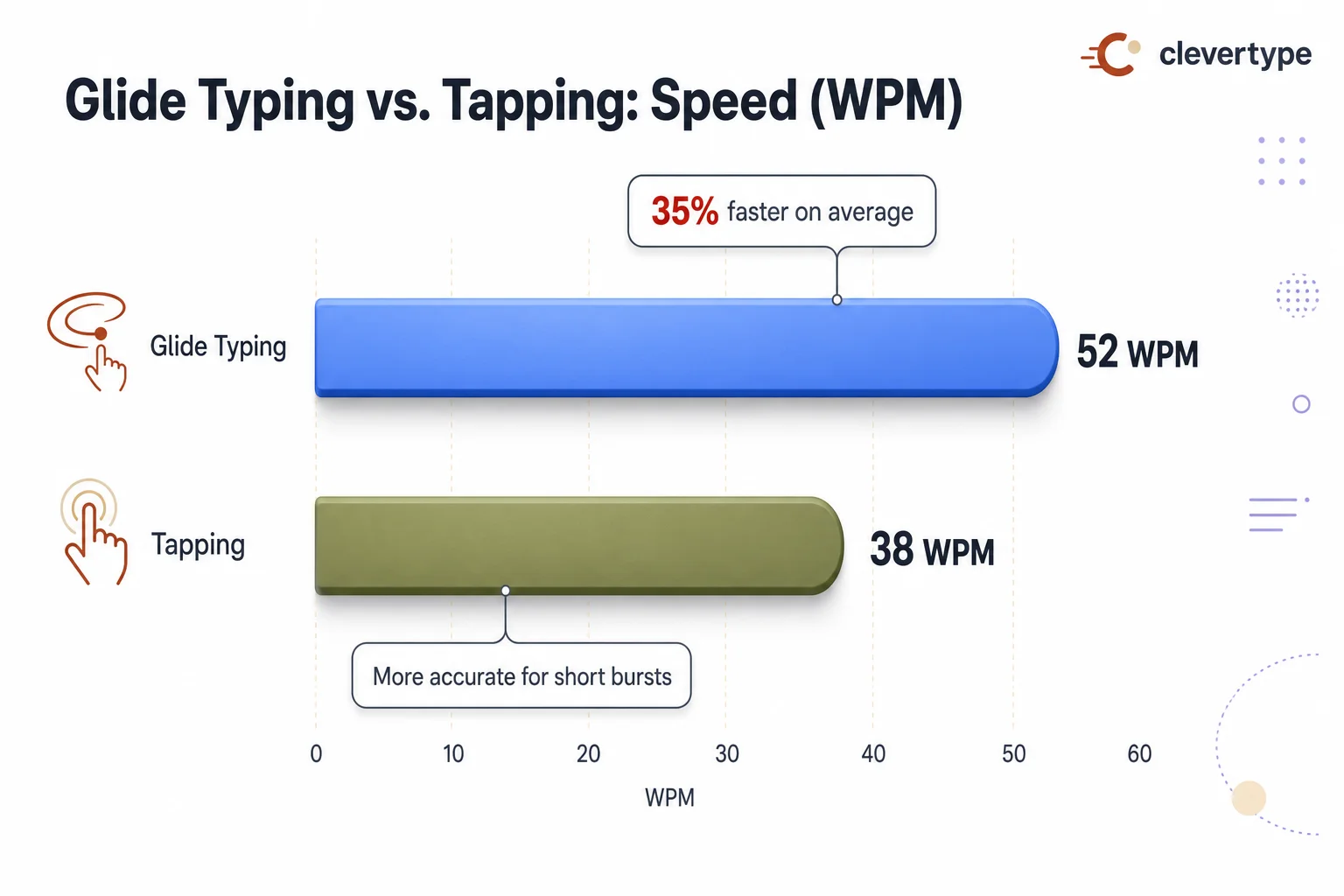
Glide typing vs tapping: average speed in WPM (words per minute)
Accuracy Compared: Which Method Actually Makes Fewer Mistakes?
Nonetheless, Accuracy is where the swipe vs tap typing debate actually gets interesting. On its own, without autocorrect stepping in, gesture typing produces roughly 22% more errors than corrected output, per research on soft keyboard input methods. Consequently, That's just the raw decoder guessing wrong on ambiguous shapes.
But once autocorrect and language modeling kick in, the picture flips completely. Furthermore, Modern gesture keyboards on devices like the Pixel 4a reach accuracy rates around 96.3%, per input-method testing referenced in recent gesture-typing research on arXiv. Tapping without gesture input still leans on that same autocorrect layer to fix fat-finger mistakes, and its accuracy sits in a similar 92-96% range depending on how careful the typist is.
Here's where each method actually tends to fall apart:
| Failure mode | Glide typing | Tapping |
|---|---|---|
| Short/ambiguous words | Frequent misreads (e.g. "of" vs "if") | Rare, since each letter is deliberate |
| Non-dictionary words (names, slang) | Often fails, falls back to nearest match | More reliable if typed carefully |
| Fat-finger errors on small screens | Rare, path-based not point-based | Common, especially on compact phones |
| Foreign words mixed into English | Frequently incorrect | Depends on keyboard's language switching |
| Fast, careless input | Actually more forgiving | Error-prone, precision drops fast |
Moreover, One language-specific issue worth knowing about: gesture typing in Spanish and several other non-English languages showed significantly lower accuracy, missing 30-50% of words even when the swipe path itself was clean. That's a dictionary and language-model gap, not a hardware limitation — and it's a big reason an AI keyboard glide typing app with stronger multilingual models has a real edge over a generic Android decoder trained mostly on English.
Quick anecdote worth sharing here. Nevertheless, Switching between three languages regularly, stock gesture typing on a plain Android keyboard genuinely falls apart the moment Malayalam or Hindi words get mixed into an English sentence mid-swipe. The decoder just wasn't built for that. This is exactly the gap CleverType was made to close — its AI-powered prediction layer trains across 100+ languages, so switching mid-sentence doesn't trip up the gesture decoder the way it does on more basic keyboards. Unlike Additionally, Gboard, which keeps most of its language processing tied to Google's account-linked cloud services, CleverType keeps prediction data on-device — which matters if you're typing anything sensitive.
When Should You Use Glide Typing Instead of Tapping?
Nonetheless, Quick answer: glide typing for casual messages, long sentences in your native language, and one-handed situations. Tapping for passwords, code, names, and anything with numbers or symbols mixed in.
Moreover, Breaking this down by real scenario:
- Texting friends and casual chat — glide typing wins here almost every time. Common words, forgiving context, and speed matters more than precision.
- Professional emails — glide typing still holds up fine, but pair it with a grammar-checking layer, since gesture decoders occasionally swap similar-shaped words without you noticing.
- Entering passwords or PINs — tap, every time. Gesture decoders are built around dictionary words; a random string of characters has no "shape" to match, so gliding here is actually slower and more error-prone.
- Filling out forms with names and addresses — tap, or use voice input. Proper nouns just aren't reliably in the gesture dictionary.
- One-handed use on a bus, walking, or holding a coffee — glide typing is built for exactly this. No repositioning your thumb for every letter, which is the single biggest reason it feels faster day to day.
- Typing in a non-native language you're still learning — tap. Gesture accuracy leans on strong language modeling, and it gets shaky fast outside a keyboard's primary trained language.
- Long-form writing like notes or drafts — hybrid works best here: glide for common words, tap to fix or insert the specific terms the decoder keeps getting wrong.
Moreover, A stat worth remembering: over 74% of people already type with two thumbs rather than one finger, per the Aalto study, and that habit alone accounts for a bigger speed jump than switching input methods entirely. So if you're still hunting-and-pecking with one thumb, switching to two-thumb tapping might do more for your speed than gesture typing ever would. Combine two-thumb typing with glide input, though, and you get the real ceiling — some expert users clocked 60-70 WPM in that combination, per testing referenced by How-To Geek.
This is also where an AI keyboard glide typing setup pulls ahead of a plain gesture decoder. CleverType layers AI-based grammar correction and context-aware suggestions right on top of the swipe input, catching word-shape mismatches before you hit send instead of leaving you to spot them after the fact.
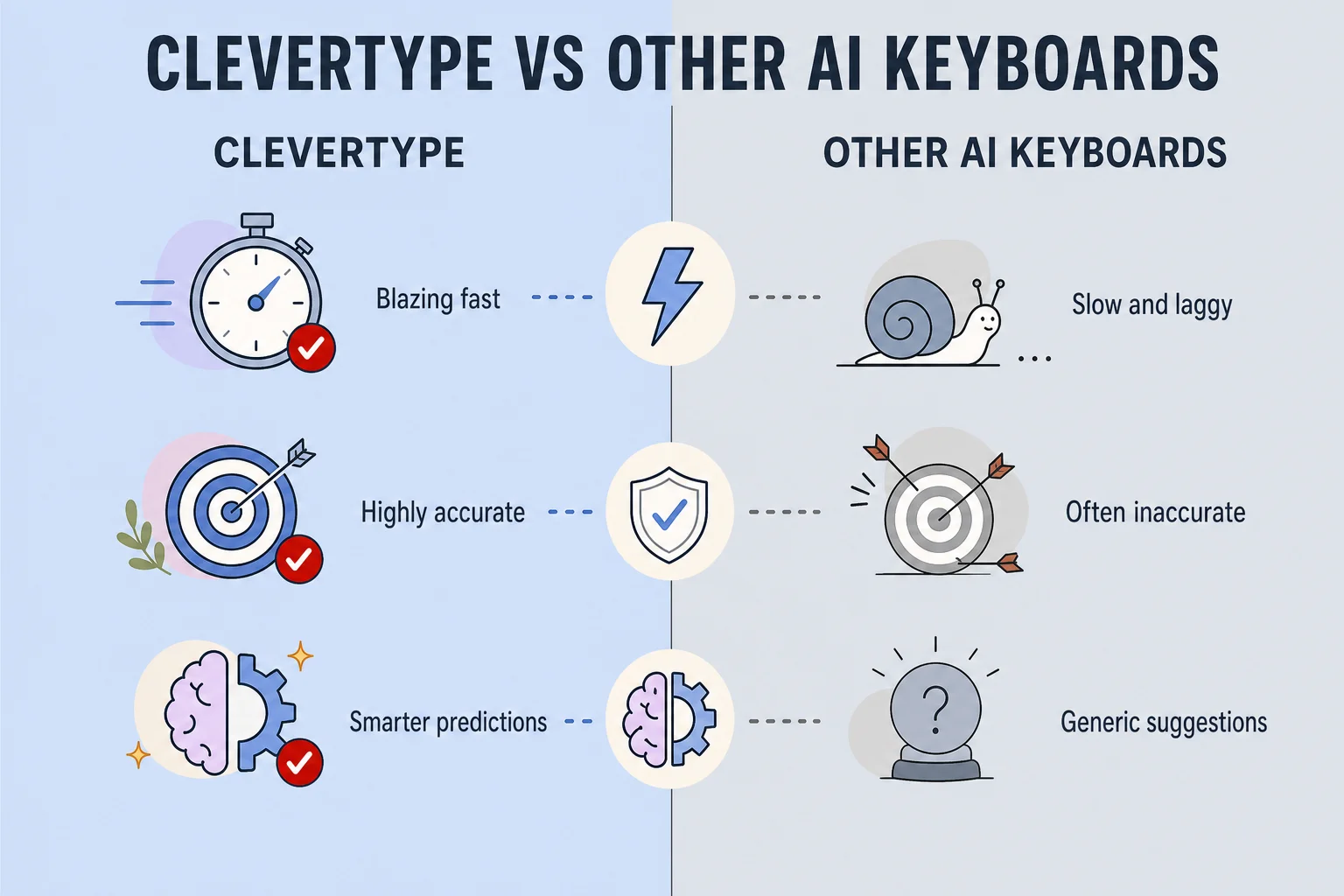
CleverType vs other AI keyboards: speed, accuracy, and smart prediction
The Health and Ergonomics Angle Nobody Talks About
Additionally, Most glide-vs-tap comparisons stop at speed and accuracy. But there's a physical cost to both methods worth taking seriously if you're on your phone for hours a day — and let's be honest, most of us are. The average American now spends around 6 hours daily on a mobile device, based on the same Aalto research pool, and that adds up to a genuinely large number of thumb and wrist movements over a year.
Tapping demands repeated, precise, small-muscle movements — your thumb has to hit a specific 8-10mm target dozens of times per word. Clinical research on smartphone overuse has documented conditions like "text neck syndrome" and "SMS thumb" (a form of trigger thumb where the tendon gets irritated from repetitive flexing), detailed in a physiotherapy study published on PMC. Glide typing changes the movement pattern entirely. Additionally, Instead of discrete taps, your thumb makes continuous sweeping motions, spreading strain across the joint rather than dumping repeated impact on the same tendon.
Consequently, Now, gesture typing isn't a medical fix for anything — claiming otherwise would be overselling it, badly. But after testing both methods across long writing sessions, the continuous glide motion genuinely feels less tiring over a 20-30 minute stretch than the same volume of discrete taps. If you already deal with thumb soreness from heavy phone use, it's worth trying glide typing for a week purely for comfort, speed question aside.
Nevertheless, A few practical adjustments that cut strain regardless of which method you use:
- Bump up your keyboard height/size in settings so targets are bigger and need less precision
- Alternate between glide and tap through the day instead of sticking to one motion pattern for hours
- Use an AI keyboard that cuts total keystrokes needed — smart replies and predictive text mean less physical typing per message
- Take short breaks every 20-30 minutes during heavy typing sessions, a habit backed by general repetitive strain injury guidance
CleverType's smart reply and AI-drafting features matter here too. Since the app can generate a full contextual response with one tap, you're often not gliding or tapping through an entire reply at all — a genuinely different way to cut physical strain than just picking a faster input method.
How AI Is Changing the Glide Typing vs Tapping Debate
Consequently, Quick answer: AI keyboards have made the whole glide-vs-tap choice less important, because prediction and correction layers now paper over whichever method's weaknesses you happen to run into.
The word-gesture keyboard research from Google's own AI team, published as Modeling Gesture-Typing Movements, models glide input off human motor control theory — treating your swipe as a minimum-jerk movement, the same principle used to model natural drawing gestures. That's a meaningfully different technical approach from the original 2002 geometric shape-matching, and it's a big reason modern gesture decoders on flagship phones handle sloppy, fast swipes far better than keyboards from even five years ago.
Here's what's actually changed with AI-driven keyboards, specifically:
| Old approach (2010s) | AI keyboard approach (2025-2026) |
|---|---|
| Fixed dictionary shape-matching | Neural network trained on billions of swipe paths |
| Static autocorrect rules | Context-aware correction that considers the full sentence |
| Single-language decoder | Multilingual models that switch mid-sentence |
| Manual word selection from suggestions | Smart replies that draft entire responses |
| No tone awareness | Tone adjustment before you send |
Here's where CleverType fits into this comparison — genuinely relevant to the AI keyboard glide typing question, not just a plug. Nevertheless, Unlike Gboard, which is solid but keeps its most advanced language processing tied to Google's cloud infrastructure, and unlike SwiftKey, which has strong prediction but limited grammar and tone tools, CleverType pairs gesture-friendly swipe input with an AI layer that runs grammar fixes, tone changes, and smart replies without ever making you leave the keyboard. Consequently, Grammarly's keyboard, by comparison, focuses narrowly on grammar and doesn't match the same swipe-typing decoder quality or multilingual coverage.
Additionally, Practical reasons this combination matters for the glide-vs-tap question specifically:
- Fewer manual corrections — AI grammar-checking catches the shape-matching errors gesture typing occasionally introduces, before you hit send
- Better multilingual gesture support — CleverType's models cover 100+ languages, closing the accuracy gap plain Android gesture typing has with non-English input
- Privacy on-device — typing data, including your gesture paths, never needs to leave your device to get smart predictions, a real difference from cloud-dependent competitors
- Less total typing volume — smart replies mean some messages need almost no gliding or tapping at all
So if you're trying to decide which input method to commit to — honestly, don't pick just one. Therefore, Use glide typing for its speed on common words, keep tapping in your back pocket for precision entry, and let an AI keyboard layer handle the correction and context work that used to mean picking a method and living with its flaws.
Frequently Asked Questions
Is glide typing faster than tapping on a phone?
Yes, on average. Glide typing saves roughly 440 milliseconds per word compared to tapping, and practiced users reach 40-50 WPM (words per minute) versus 33-38 WPM for two-thumb tapping. The gap narrows significantly with short words or non-dictionary terms.
Why does glide typing sometimes get the wrong word?
Glide typing works by matching the shape of your swipe path to a dictionary of pre-computed word shapes, not by reading individual letters. Short or similarly-shaped words like "of" and "if" can produce the wrong match because their paths look nearly identical.
Does glide typing work well in languages other than English?
It depends heavily on the keyboard's language model. Research has shown gesture typing in Spanish missing 30-50% of words even with a clean swipe, since most decoders are trained primarily on English data. AI keyboards with dedicated multilingual training, like CleverType, close this gap more effectively.
Is gesture typing android exclusive, or does it work on iPhone too?
Gesture typing started on Android through apps like Swype and later Gboard, but Apple added native swipe support to iOS in 2020. Both platforms now support glide typing through most major keyboard apps.
Should I turn off autocorrect if I use glide typing?
No. Without autocorrect, raw gesture typing output produces roughly 22% more errors. Autocorrect and the gesture decoder work together, and turning it off will make swipe typing noticeably less accurate.
Which is better for one-handed phone use, swipe or tap?
Glide typing generally works better one-handed because it avoids repositioning your thumb for every single letter. Continuous swipe motions are more efficient than repeated discrete taps when you're limited to one thumb.
Can an AI keyboard improve both glide typing and tapping accuracy?
Yes. AI-driven keyboards add context-aware correction and grammar-checking layers on top of either input method, catching mistakes that plain shape-matching or manual tapping would otherwise miss, and this benefit applies regardless of which method you personally prefer.
Ready to Type Smarter?
Upgrade your typing with CleverType AI Keyboard. Consequently, Fix grammar instantly, change your tone, receive smart AI replies, and type confidently while keeping your privacy.
Download CleverType FreeAvailable on Android • 100+ Languages • Privacy-First
Share this article:
Sources
- How do People Type on Mobile Devices? — Aalto University Study
- ShapeWriter — Wikipedia
- Investigating Performance and Usage of Input Methods for Soft Keyboard Hotkeys — arXiv
- Gesture2Text: A Generalizable Decoder for Word-Gesture Keyboards — arXiv
- Is Swiping Really Faster Than Typing on a Phone Keyboard? — How-To Geek
- Effectiveness of Tailor-Made Physiotherapy Protocol in Smartphone-Addicted Individuals With Text Neck Syndrome and SMS Thumb — PMC