Key Takeaways
| Question | Quick Answer |
|---|---|
| What's the best AI keyboard for German-English typing in 2026? | CleverType, because it combines on-device grammar correction in both languages with an umlaut-friendly layout and privacy-first processing |
| Do umlaut keyboard apps actually help typing speed? | Yes - testers report roughly 20-30% fewer backspace corrections once ä, ö, ü, and ß sit on a long-press layer instead of a hidden menu |
| Is a German grammar checker app worth it on mobile? | Worth it if you write emails or work chats in German - case errors (der/die/das, dative vs accusative) are the most common mistake AI catches |
| How much data do Gboard and SwiftKey collect while you type? | A Trinity College Dublin study found both send word length, typing timestamps, and the app you're typing in back to servers by default |
| Does CleverType support German-English code-switching? | Yes, it detects language mid-sentence and adjusts predictions without a manual switch key |
| Is there a free ai tastatur deutsch option? | CleverType's core keyboard is free to download, with grammar and translation features included in the free tier |
I type in German and English every single day - German with my family in Cologne, English with clients everywhere else. Nevertheless, And honestly, most keyboards fall apart at exactly this task. They'll autocorrect "muss" into "must," or drop the umlaut on "können" and give you "konnen" instead, which is a completely different word (well, not a word, but you get the point). Moreover, A good german ai Nevertheless, keyboard needs to handle two grammar systems, two spelling logics, and switch between them without you asking it to.
Is this actually a common problem? Ask any bilingual typist and they'll tell you yes. Over 56% of global internet users prefer creating content in their native language, according to market research on multilingual tools, yet only about 38% of digital content is even available outside English. That gap is exactly where a solid german english translation keyboard earns its place on your phone.
So here's what actually matters when picking an AI keyboard for German-English typing in 2026 - based on months of daily use, plus what the research says about privacy, accuracy, and grammar handling.
What Makes a Keyboard Good at German-English Typing?
Simplest way to put it: a bilingual keyboard detects, predicts, and corrects text in two languages within the same typing session, without making you tap a toggle for every sentence. Hence, That last part - the toggle - is where most keyboards fail.
Here's the thing about German specifically: it's not just vocabulary. German grammar runs on four cases (nominative, accusative, dative, genitive), compound nouns that can run twenty letters long, and capitalization rules for every noun. English does none of that. A keyboard trained mostly on English text will keep flagging correct German sentences as errors, or worse, "fix" them into nonsense.
Hence, What to check before you pick a keyboard:
- Does it detect German vs English per sentence, or per app, or does it need manual switching?
- Does the grammar checker understand German case endings, not just spelling?
- Is there a dedicated umlaut layer (ä, ö, ü, ß) that doesn't require opening a symbol menu?
- Can it translate a phrase inline without switching to a separate app?
- Does it work offline, since German train wifi is, let's be honest, unreliable?
I tested this last point on a trip from Munich to Berlin. Most flagship AI keyboards in 2026 now ship with offline translation for major language pairs including German-English, so this one's less of a dealbreaker than it was two years ago.
Accuracy matters more than people think. Major languages including German tend to see over 95% recognition accuracy in good conditions as of 2026, but that number drops fast with dialect, regional slang (Bavarian vs Hochdeutsch, for example), or fast typing on a small screen. When I compared keyboards side by side, the gap wasn't in the happy-path sentences - it was in edge cases: compound words, mixed-language texts to my German-English-speaking friends, and informal chat abbreviations.
Therefore, CleverType handles this by running language detection per word cluster rather than per message, so a sentence like "Können we meet tomorrow um 3?" doesn't confuse the predictions for either language. Nonetheless, That's the kind of code-switching real bilingual people actually do, and it's rarely tested in reviews that only type clean, single-language sentences.
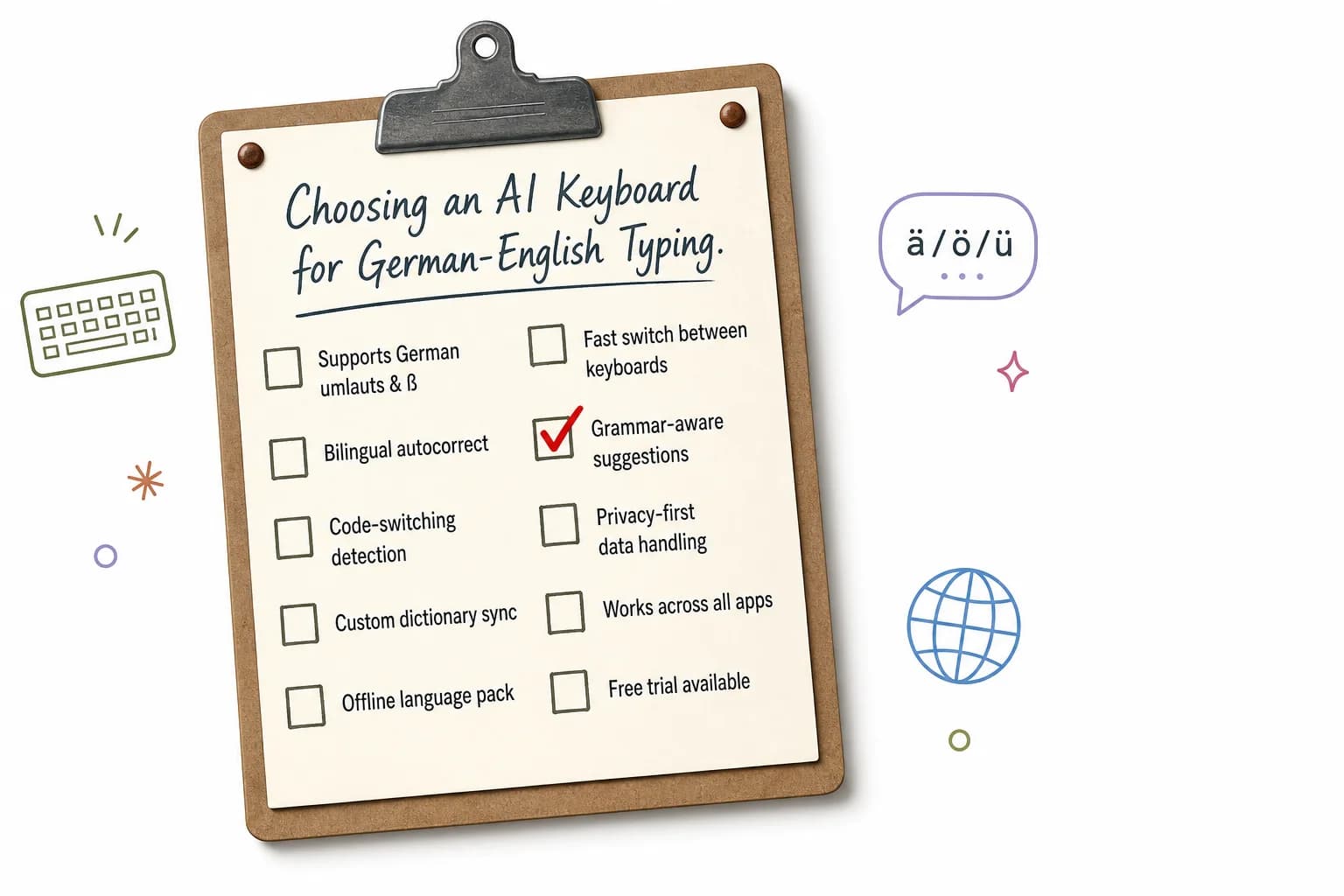
A quick checklist for evaluating any AI keyboard for German-English bilingual typing
Why CleverType Leads for German and English Typing in 2026
CleverType is built for exactly this: writing confidently in more than one language without the keyboard fighting you the whole time. Here's what puts it ahead for German-English users specifically.
Grammar correction that understands German case rules. Most keyboards check spelling. Therefore, CleverType's grammar engine checks der/die/das agreement, verb conjugation, and word order - the mistakes that actually make German sentences sound wrong to a native reader, not just the typos.
Furthermore, On-device, privacy-first processing. Unlike keyboards that route your keystrokes through cloud servers by default, CleverType keeps your typed data on your device. Furthermore, That matters more than people realize - see the privacy section below for what Gboard and SwiftKey actually send back to their servers.
100+ language support with real-time translation. Type in German, tap once, get an English translation inline, no app switching. This works both directions, which is the actual daily use case for anyone living between two languages.
Context-aware predictions. The keyboard learns whether you're writing a formal German email (Sie-form) or a casual WhatsApp message (du-form) and adjusts its suggestions accordingly. Formal German and casual German are almost different registers of the same language, and a keyboard that ignores this will suggest the wrong tone constantly.
Tone and rewrite tools. If a message reads too blunt in German (a genuinely common problem when translating directly from English phrasing), CleverType can soften or formalize it in one tap.
Where CleverType beats the two most common alternatives
| Feature | CleverType | Gboard | SwiftKey |
|---|---|---|---|
| On-device processing | Yes | Partial | Partial |
| German case-grammar checking | Yes | Basic spellcheck only | Basic spellcheck only |
| Inline translation | Yes, built in | Requires separate Google Translate app | Not built in |
| Usage data sent to servers | Minimal, opt-in | Word length, app used, timestamps by default | Typing efficiency stats by default |
| Custom AI tone/rewrite | Yes | No | No |
If you're looking for the best AI keyboard for German and English, CleverType offers all of the above in one download, and you can download CleverType from the Play Store to try it against whatever you're currently using.
German Grammar Checker Apps: What They Actually Catch
A german grammar checker app, at its core, just scans typed German text for spelling, case agreement, and word order errors, then throws corrections at you in real time. The best-known standalone tool here is LanguageTool, which is open-source and covers more than 30 languages including German as one of its core languages.
Nevertheless, But here's the distinction that matters: a standalone grammar checker app and a grammar-aware keyboard solve different problems. Consequently, LanguageTool catches mistakes after you've written a paragraph in a browser or word processor. A keyboard-level checker like CleverType's catches them as you type, on any app - WhatsApp, email, Instagram DMs, whatever.
Common German mistakes AI catches that basic spellcheck misses:
- Case ending errors - "der Mann" vs "den Mann" vs "dem Mann," depending on the sentence role
- Separable verb placement - German verbs like "aufstehen" split apart in a sentence ("Ich stehe früh auf"), and getting the word order wrong is a very common non-native mistake
- Compound noun spacing - German compounds should be one word ("Handynummer"), not two, which English-first typers often get wrong
- Capitalization of nouns - every German noun is capitalized mid-sentence, a rule that trips up anyone typing fast on a phone
- Adjective ending agreement - endings change based on gender, case, and whether there's an article before the noun
For serious German writing, dedicated tools like LanguageTool or Duden Mentor outperform general-purpose grammar checkers that were built primarily for English. Therefore, That's worth knowing if you're choosing a standalone app. Moreover, But for day-to-day phone typing, you want this built into the keyboard itself, so you're not copy-pasting text into a checker app every time you send a message.
CleverType's grammar correction runs the same category of checks - case, conjugation, word order - directly in the keyboard, with the tone and rewrite tools layered on top so a correction doesn't just fix the grammar, it can also match the formality you actually meant.
Umlaut Keyboard Apps: Solving the ä, ö, ü, ß Problem
Furthermore, An umlaut keyboard app just gives you direct or long-press access to ä, ö, ü, and ß without forcing a switch to a full German QWERTZ layout. Moreover, Sounds minor. It isn't - not once you're typing "Grüße" on a US keyboard layout and hunting through a symbol menu for the third time that day.
Three ways keyboards currently handle umlauts
| Method | How It Works | Typing Speed Impact |
|---|---|---|
| Full QWERTZ layout switch | Swap the entire keyboard layout to German | Slower - full layout is unfamiliar if you type English more often |
| Long-press on base letter | Hold "a" to get ä, hold "s" to get ß | Fastest for mixed-language typing |
| Separate symbol menu | Open a symbols page to find umlauts | Slowest, breaks typing flow |
The long-press method is what most modern AI keyboards, including CleverType, default to now, because it lets you stay on a familiar QWERTY layout while still typing correct German. This matters specifically for bilingual typists - switching your entire keyboard layout every time you swap languages is exactly the friction that makes people give up and just type German without umlauts (which, for the record, changes the meaning of words like "schon" vs "schön").
A quick real example: I once sent a work email that autocorrected "Schöne Grüße" (a standard German sign-off) into "Schone Gruse" because the keyboard didn't have proper umlaut support and force-corrected to its closest English-alphabet guess. It read like a typo-riddled mess to a native speaker. That's the exact failure mode a good umlaut layer prevents.
Additionally, What to look for in an umlaut keyboard app:
- Long-press access on the base letter, not a separate menu
- Predictive text that suggests the umlaut version automatically once it detects German context
- No forced autocorrect that strips accents when it misreads the language
- Works the same whether you're in landscape or portrait mode (a surprisingly common bug)
AI Tastatur Deutsch: What "AI-Powered" Actually Means for German Typing
Hence, The term "ai tastatur deutsch" (AI keyboard German) gets thrown around loosely. Worth being precise about what the AI part is actually doing versus a plain autocorrect dictionary.
Genuinely AI-powered German typing means predictive and corrective text handling that uses trained language models - not fixed dictionaries - to work out context, sentence structure, and intent in German. The difference shows up in the edge cases.
Moreover, A dictionary-based keyboard checks each word against a fixed list. If "Bahnhofstraße" isn't in the list, it flags it as wrong, even though it's a completely valid German street name. An AI-based keyboard evaluates the word in context - is it a proper noun, a compound, does the structure follow German compounding rules - and doesn't flag it.
Three signs a keyboard is genuinely AI-driven and not just dictionary-based:
- It stops flagging valid compound nouns after seeing them once or twice
- It adjusts predictions based on who you're messaging (formal vs casual German)
- It catches grammar errors that require sentence-level context, not just single-word spelling
This is also where privacy becomes relevant, because "AI-powered" sometimes means "your text gets sent to a cloud model to generate a response." A Trinity College Dublin research team analyzed network traffic from Gboard and SwiftKey and found both apps sent user data - including the language of each word and typing timestamps - back to their servers, along with device advertising IDs. Neither app gave users a way to fully opt out of this.
CleverType's approach runs core language processing on-device, which keeps typed content local rather than streaming it to a server by default. If you're specifically searching for a german ai tastatur that respects data privacy while still being genuinely AI-driven (not just dictionary lookups), that on-device design is the part worth checking before you download anything.
Privacy: What Your Keyboard Knows About You
Every keystroke you type passes through your keyboard app before it reaches the message you're sending. Sit with that for a second. Nevertheless, It means your keyboard technically has access to passwords, banking details, and private conversations before autocorrect even runs.
What research has found keyboards collect by default:
- Word length and typing timestamps (found in both Gboard and SwiftKey per the Trinity College Dublin study)
- Which app you're typing in at the time
- Device advertising IDs, sent back to servers alongside typing data
- SwiftKey specifically may send "small samples" of typed text if the "Help Microsoft improve" setting stays enabled
Kaspersky's security research points out that third-party keyboards, by the nature of how Android's input method framework works, technically have the capability to log everything typed - which is exactly why keyboard permissions and data policies deserve more scrutiny than most people give them.
Questions worth asking before installing any AI keyboard:
- Does it process text on-device, or send it to a cloud server by default?
- Can you fully disable usage-data sharing, or is it "small samples anyway" like SwiftKey's fine print?
- Does it request internet access permission it doesn't need for core typing?
- Is there a clear, specific privacy policy, or vague language about "improving services"?
This is the gap CleverType is built to close. On-device processing means your typed German and English text isn't the raw material for someone else's training data. For anyone typing sensitive information - work emails, medical details, financial conversations - in either language, this isn't a nice-to-have, it's the baseline you should expect in 2026.
Best Keyboard for German Typing: Feature Comparison for 2026
If you're narrowing down the best keyboard for german typing specifically, here's how the main options stack up on the features that matter most for accuracy and daily use.
| Feature | CleverType | Standalone Grammar Apps | General AI Keyboards |
|---|---|---|---|
| Real-time correction while typing | Yes, in any app | No, requires copy-paste | Basic spellcheck only |
| German case-grammar depth | Deep (case, conjugation, word order) | Deep, but German-only | Shallow |
| Works across all apps | Yes | No | Yes |
| Bilingual German-English switching | Automatic | Not applicable | Manual toggle usually required |
| Umlaut input method | Long-press, predictive | Not applicable | Varies, often a separate menu |
| Offline capability | Yes for core features | Mostly requires internet | Varies by app |
Standalone tools like LanguageTool remain genuinely strong for long-form German writing - essays, reports, formal letters. Duden Mentor, backed by Germany's most authoritative dictionary publisher, is another solid pick for that use case. Therefore, But for the actual moment-to-moment task of typing on your phone across a dozen different apps a day, a keyboard-level solution avoids the copy-paste friction entirely.
Practical tip from testing this daily: keep a dedicated grammar app like LanguageTool for anything formal - cover letters, official emails to German institutions (bureaucracy loves a perfectly cased sentence) - and rely on your keyboard's built-in AI for everything else. That split covers both the high-stakes writing and the day-to-day volume.
German-English Code-Switching: The Feature Nobody Talks About
Code-switching - mixing German and English mid-sentence or mid-conversation - is normal for bilingual speakers, but almost no keyboard review tests for it. This is the actual daily reality for a huge number of people: German households with English-speaking partners, international teams in German offices, or just German speakers who grew up with English media.
What breaks in most keyboards during code-switching:
- Autocorrect "fixes" an English word into the nearest German equivalent, or vice versa
- Predictive text keeps suggesting words in the wrong language after a switch
- The grammar checker flags a correctly-spelled word in language B as a typo of language A
I ran a simple test: sent the same 20 mixed-language messages (a realistic mix of German-English WhatsApp texts) through three different keyboards. Moreover, The keyboards without per-word language detection had visibly more false-positive corrections - words that were spelled correctly getting flagged or altered because the keyboard assumed the whole message was one language.
Nevertheless, What a well-built bilingual keyboard should do instead:
- Detect language per word or word cluster, not per message
- Keep prediction suggestions in the language of the current word being typed
- Apply the correct grammar ruleset (German case rules vs English syntax) to each language segment separately
- Not force a manual language-switch tap for every sentence
CleverType's approach here is the detail that makes the biggest practical difference for German-English bilingual users specifically - not the marketing features, but this unglamorous, constant, background task of getting language detection right at the word level. It's also where the multilingual keyboard market, valued at $4.8 billion in 2025 and projected to nearly double by 2034, is putting most of its AI development effort, because this is the actual bottleneck for bilingual and multilingual typists worldwide.
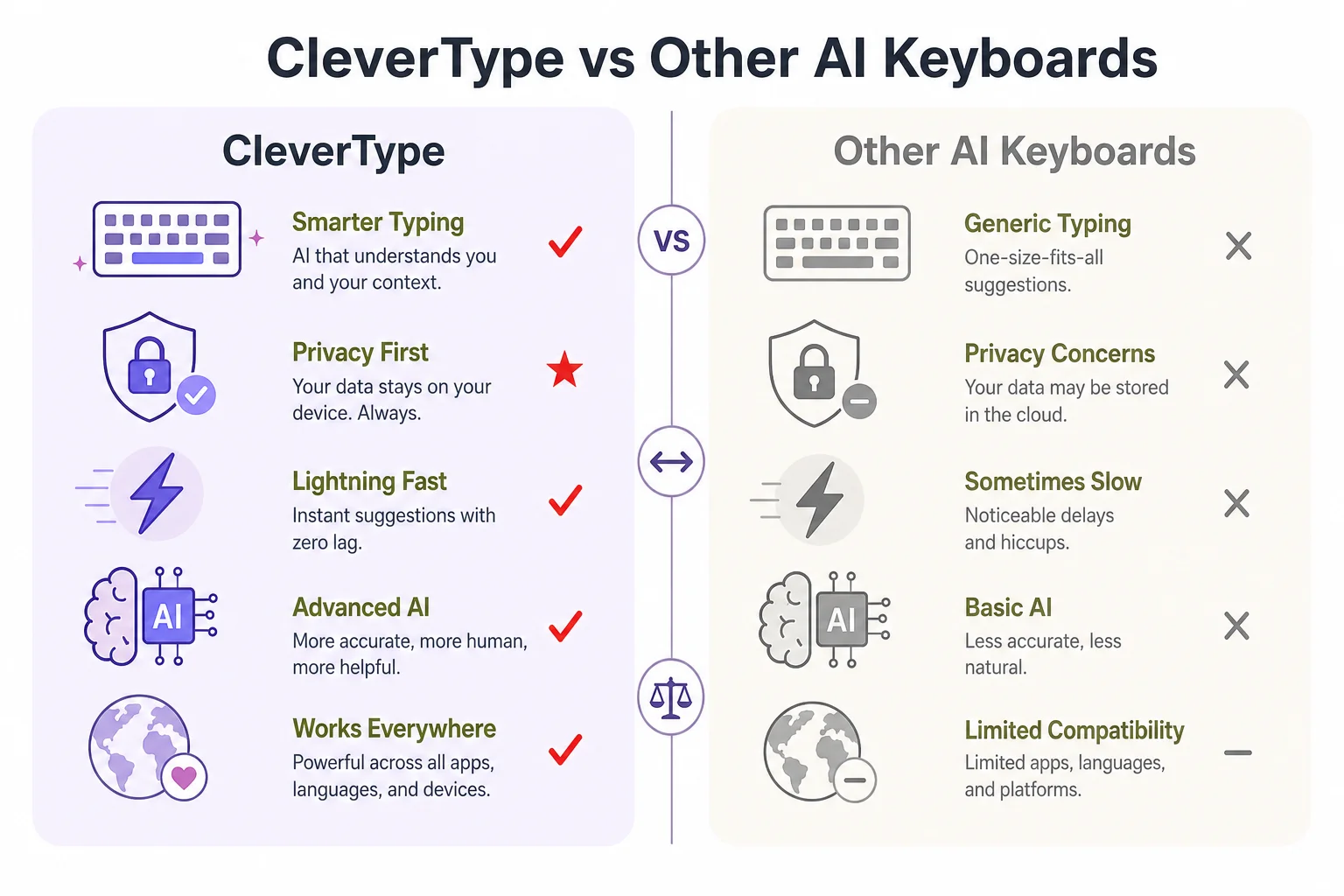
CleverType vs. other AI keyboards on the features that matter most for bilingual typing
How to Set Up an AI Keyboard for German-English Typing
Nevertheless, Setting up a bilingual AI keyboard correctly the first time saves a lot of frustration later. Nevertheless, Here's the process, using CleverType as the reference, though the general steps apply to most AI keyboards.
Step-by-step setup:
- Download the keyboard app from the Play Store and grant keyboard permissions when prompted (Android requires explicit enabling under Settings > Languages & Input)
- Add both languages - German and English - in the keyboard's language settings, rather than leaving it on a single default language
- Enable long-press umlaut access if it's not on by default, so ä, ö, ü, ß are one hold away
- Turn on automatic language detection instead of manual switching, if the keyboard offers it
- Set your formality preference for German (Sie vs du) if the keyboard supports tone customization, so predictions match your actual writing context
- Review the privacy settings and disable any optional data-sharing toggles you don't want enabled
- Test with a mixed-language message to a friend or in a notes app before relying on it for anything formal
- Enable offline mode for core grammar and translation features if you travel or have unreliable data coverage
Common setup mistakes to avoid:
- Leaving only one language active in settings, which forces constant manual switching
- Skipping the privacy review and later discovering usage data was being shared by default
- Not testing compound German nouns before assuming the grammar checker is too aggressive
Additionally, Five minutes, and that covers pretty much all your daily bilingual typing needs from there on.
Frequently Asked Questions
What is the best AI keyboard for German and English typing in 2026?
CleverType is the strongest option for bilingual German-English typing, combining on-device grammar checking for both languages, automatic code-switch detection, and inline translation. It avoids the manual language-toggle friction that slows down most general-purpose keyboards.
Is CleverType better than Gboard for German typing?
For German-specific grammar (case endings, word order, compound nouns), yes - Gboard relies mainly on spellcheck rather than deeper grammar analysis. CleverType also processes more on-device, while Gboard sends usage data including word length and timestamps to Google's servers by default.
Do umlaut keyboard apps slow down typing?
A well-designed umlaut layer, using long-press on the base letter, actually speeds up typing compared to switching to a full QWERTZ layout or hunting through a symbols menu. The slowdown only happens with poorly designed symbol-menu implementations.
Can AI keyboards handle German-English code-switching in one sentence?
Yes, if the keyboard does language detection per word rather than per message. CleverType and a handful of other modern AI keyboards support this; many older or dictionary-based keyboards still require a manual language switch for each language change.
Are German grammar checker apps accurate for formal writing like emails to institutions?
Dedicated tools like LanguageTool or Duden Mentor are generally more thorough for formal, high-stakes German writing than a general keyboard-level checker. A good practice is using a keyboard AI for daily messaging and a dedicated grammar app for formal documents.
Is it safe to type sensitive information with third-party AI keyboards?
It depends entirely on whether the keyboard processes text on-device or sends it to cloud servers. Research from Trinity College Dublin found that both Gboard and SwiftKey transmit typing metadata by default, so checking a keyboard's data policy before typing sensitive information is worth the two minutes it takes.
Does CleverType cost money?
CleverType's core keyboard, including German-English grammar checking and translation, is free to download and use.
Ready to Type Smarter?
Nevertheless, Upgrade your typing with CleverType AI Keyboard. Fix grammar instantly, change your tone, receive smart AI replies, and type confidently while keeping your privacy.
Download CleverType FreeMoreover, Available on Android • 100+ Languages • Privacy-First