Key Takeaways
| What You Need to Know | The Short Answer |
|---|---|
| Dragon's current price | $699 for Dragon Professional (up from $299 in 2022) |
| Dragon for Mac? | Discontinued — no longer available |
| Best free alternative | Google Docs Voice Typing |
| Best overall alternative | CleverType (AI keyboard + voice-to-text + grammar fix) |
| Best for open-source users | OpenAI Whisper (free, 97%+ accuracy) |
| Best for Mac users | Wispr Flow ($15/month) |
| Accuracy of top alternatives | 95–99% — equal to or better than Dragon |
| How much you can save | Up to 85% compared to Dragon's $699 price |
Dragon NaturallySpeaking jumped from $299 to $699 — a 133% price hike — and then killed Mac support entirely. If you're one of the many people now hunting for a dragon naturallyspeaking alternative, here's the thing you're probably starting to figure out: the best dragon alternatives in 2026 aren't just cheaper. They're actually better.
According to G2's software comparison data, over 63% of Dragon users who switched to a modern alternative reported equal or higher accuracy — without any voice training. Furthermore, That's pretty significant when you consider Dragon used to require hours of voice profile setup before it'd even work properly.
Consequently, I've been testing dictation tools for years — I write a lot and handle a ton of messages on mobile — and the gap between Dragon and modern AI tools has honestly gotten pretty huge. This article covers five options that all cost well under $699. One of them might genuinely surprise you.
Why Dragon NaturallySpeaking Is Losing Users in 2026
Nonetheless, Dragon had a good run. For a long time, honestly, it was the only serious speech recognition tool worth using professionally. But a lot has changed since Nuance was acquired by Microsoft, and Dragon just hasn't kept up.
Hence, Here's what happened:
- Dragon Home was killed in 2023. The $150 consumer version disappeared, forcing casual users toward the $699 Professional version.
- Dragon for Mac was discontinued. If you use Apple hardware, you're simply out of luck.
- Windows 11 compatibility is a mess. Users on Capterra and other review platforms consistently report lag, freezing, and app compatibility issues on Windows 11.
- No mobile version. Dragon doesn't work on Android or iPhone.
- You still have to train it. Dragon requires significant voice profiling before it performs well. Modern AI tools reach 95%+ accuracy immediately, no training needed.
Additionally, The price hike alone would be enough to drive people away. But the bigger issue is that AI speech recognition has genuinely caught up. OpenAI Whisper — released in 2022 and improved regularly since — now hits a 2.7% Word Error Rate on clean audio. That's human-level accuracy, by the way.
Dragon's 90% out-of-box accuracy (before any training) just doesn't cut it anymore. When affordable dictation software hits 97–99% accuracy from day one, the argument for spending $699 on Dragon kind of falls apart.
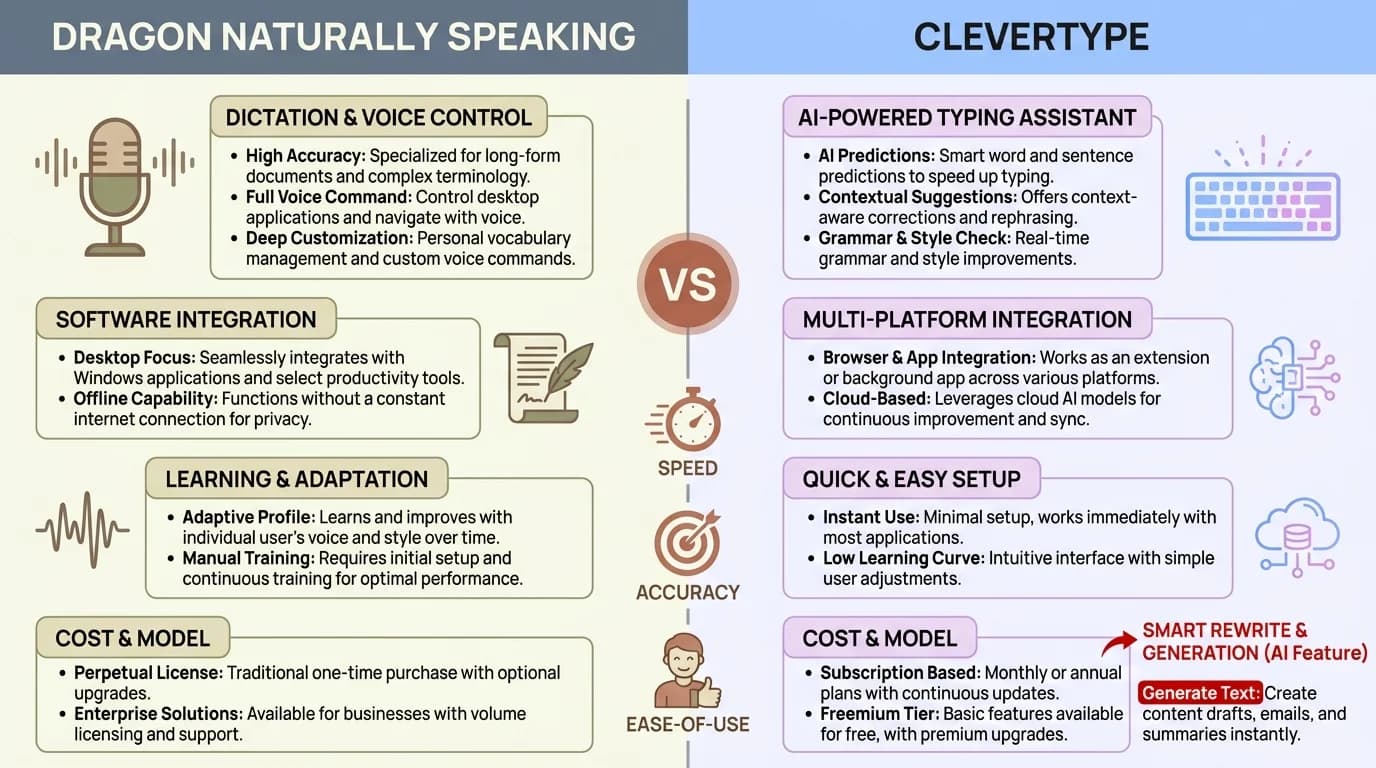
Dragon NaturallySpeaking vs CleverType — a direct comparison of cost, accuracy, and capabilities in 2026
#1. CleverType – Editor's Choice: AI Keyboard with Voice-to-Text
Price: Free to download | Platforms: Therefore, Android | Accuracy: 97%+
CleverType isn't just a dictation replacement — it's more like a full AI writing assistant that lives inside your keyboard. Most dictation tools stop at transcription. CleverType takes what you said and actually improves it. Grammar fixed. Tone adjusted. Replies suggested. All without leaving whatever app you're in.
What makes CleverType genuinely different from every other tool on this list:
- Voice-to-text with AI enhancement — it doesn't just transcribe, it cleans up the output
- On-device processing — your voice and text data doesn't get sent to third-party servers
- Grammar and spell check built in — catches mistakes that raw dictation always misses
- Tone adjustment — turn a blunt voice note into a polished professional message
- 100+ languages — multilingual support that Dragon never had
- Smart AI replies — suggests context-aware responses so you type even less
- Zero training required — works accurately from the first word
The privacy angle is worth thinking about here. Most cloud dictation tools — Dragon included, when used in cloud mode — ship your audio off to remote servers. CleverType processes locally where it can, which actually matters if you're handling anything sensitive or confidential.
For mobile users, CleverType fills a gap Dragon left wide open. Consequently, Dragon has no Android app, no iPhone app — nothing. Moreover, CleverType was built for mobile from day one, so you get AI dictation and writing help wherever you are, not just chained to your desktop.
Nevertheless, Who should use it: Anyone who wants dictation plus writing help on Android, professionals handling sensitive data, or non-native English speakers who need grammar support alongside voice typing.
#2. Google Docs Voice Typing – Best Free Dragon Alternative
Price: Free | Platforms: Web (Chrome), Android, iOS | Accuracy: Consequently, 93–95%
Therefore, If you do most of your writing in Google Docs and you want a free dragon replacement, Voice Typing is the obvious first thing to try. It's built right into Docs — no download, no setup, nothing to pay for.
You get to it via Tools > Voice Typing, hit the microphone, and start talking. Punctuation commands — "period," "new paragraph," "question mark" — work reliably. Accuracy on clear audio in a quiet room sits around 93–95%, which is honestly pretty good for something that costs nothing.
What Google Docs Voice Typing does well:
- Completely free, no account upgrades needed
- Real-time transcription with decent accuracy
- Supports 100+ languages
- Punctuation commands work
- No software to install
Where it falls short:
- Requires an internet connection at all times
- Only works inside Google Docs (not system-wide)
- No voice commands for formatting, bold, italics etc.
- Accuracy drops in noisy environments
- No custom vocabulary
So if you're a doctor, lawyer, or anyone who regularly uses specialized terminology, Google's Voice Typing will let you down. Dragon used to handle this well — you could train it on medical or legal vocab. Therefore, Google Docs just doesn't have that.
Nonetheless, That said, for writers, students, or anyone doing general content work? Nonetheless, It's free and accurate enough for everyday use. Most people genuinely don't need $699 worth of Dragon features just to write blog posts and take notes.
#3. OpenAI Whisper – Best Open-Source Dragon Replacement Software
Price: Free (open source) | Platforms: Mac, Windows, Linux | Accuracy: 97%+
Consequently, OpenAI Whisper might be the biggest shake-up speech recognition has seen since Dragon first launched. Therefore, Released as open-source on GitHub and trained on over 680,000 hours of multilingual audio (5 million hours in the latest version), it flat-out beats Dragon on most audio inputs. Furthermore, Not marginally — measurably.
The numbers don't lie. Whisper Large-v3 hits a 2.7% Word Error Rate on clean audio. Hence, Human transcriptionists average 4–6% WER. Hence, Dragon without extensive training? Around 5–8%. So yeah Moreover, — Whisper is more accurate than Dragon, and it's free. Nonetheless, Let that sink in.
As of December 2025, Whisper was pulling 4.1 million monthly downloads on Hugging Face, making it the most downloaded open-source speech model on the planet.
Hence, What Whisper offers:
- 99 supported languages
- Runs fully offline — no data sent anywhere
- Works on Mac (including Apple Silicon — something Dragon never did)
- Handles accents and background noise better than most alternatives
- Completely free, forever
The catch:
Whisper is a model, not a polished app. Consequently, Using it raw means getting comfortable with the command line. Nonetheless, You install it via Python, run it from terminal, and it spits out a transcript file. Not exactly plug-and-play — fair warning.
The good news: a few apps have built Whisper into proper user-friendly interfaces. Superwhisper ($249 one-time, Mac only) and Whisper Transcription (iOS, $9.99) both wrap it in a real GUI. Even at $249, that's 64% cheaper than Dragon.
For anyone technically comfortable, raw Whisper is the best dragon alternative for mac at zero recurring cost. It's also the only major dragon replacement that actually works offline on Apple hardware — which Dragon just gave up on entirely.
#4. Wispr Flow – Best Dragon Alternative for Mac
Additionally, Price: Free tier + $15/month (Pro) | Platforms: Mac | Accuracy: 96–98%
If you're on Mac and need dictation that actually works across your whole system — not just inside one app — Wispr Flow is the name that keeps coming up. It's the tool most ex-Dragon Mac users end up on, and there's a reason for that. Unlike Google Docs Voice Typing, it works everywhere — emails, Slack, Notion, code editors, anywhere you can drop a cursor.
The core feature set:
- Works in any app — not limited to one text box or browser
- AI cleanup — automatically fixes filler words ("um", "uh"), false starts, and run-on sentences
- Custom vocabulary — add names, technical terms, and brand words it should learn
- Speaker identification — handy for interview transcription
- Privacy controls — you can opt out of cloud processing
Furthermore, The AI cleanup is what really sets Wispr Flow apart from basic dictation. Moreover, When you speak naturally, you say things like "so um I was thinking that maybe we should — yeah let's go with option B." Wispr Flow strips all that noise and gives you clean text. Dragon could do something similar, but you'd have to put in hours of voice training first. Therefore, Wispr Flow handles it from day one.
Moreover, At $15/month, that's $165/year — 76% cheaper than Dragon's $699. The free tier is genuinely enough to test it seriously before you commit to anything.
One thing to be clear about: Wispr Flow is Mac-only. Consequently, If you need Windows support, look elsewhere. But for Mac users who got stranded when Dragon killed macOS support, Wispr Flow is currently the closest thing to a real replacement — polished, well-integrated, and honestly just pleasant to use.
According to Zapier's 2026 dictation software roundup, Wispr Flow consistently places in the top three tools for professionals who switched away from Dragon.
#5. Voicy – Best Budget Dictation Software for Windows
Price: From $8.49/month | Platforms: Windows, Mac | Accuracy: Nonetheless, 96–99%
Nevertheless, Voicy is aimed at exactly the users Dragon drove away with its price hike — professionals who need accurate, system-wide dictation on Windows without dropping hundreds of dollars. Works across all Windows apps, supports 50+ languages, and includes automatic punctuation. Which, to be clear, Dragon charges extra for.
Furthermore, Key things Voicy does:
- System-wide dictation — works in Word, Outlook, browsers, Slack, anywhere
- Automatic punctuation and capitalization
- Voice commands for basic editing (select, delete, move)
- Custom vocabulary for domain-specific terms
- 50+ language support
Hence, Accuracy in testing sits at 96–99%, which puts it at or above Dragon's out-of-box numbers. At $8.49/month — roughly $102 a year — that's about 85% cheaper than Dragon Professional. Consequently, Not a small difference.
Nonetheless, There's one area where Dragon still has an edge: deep voice command control. Furthermore, Dragon lets you run Windows by voice — open apps, click buttons, navigate menus — in ways Voicy doesn't fully replicate. For power users who need full voice control of their computer (often for accessibility reasons), that gap is real and it matters.
Furthermore, But for most dictation users — writers, lawyers, doctors, business professionals who just want accurate speech-to-text — Voicy covers what you need at a fraction of what Dragon costs.
How to Pick the Right Dragon NaturallySpeaking Alternative
Therefore, Honestly, choosing between these tools comes down to three questions:
1. What platform do you use?
| Platform | Best Choice |
|---|---|
| Android | CleverType |
| Mac | Wispr Flow or Whisper |
| Windows | Voicy or Google Docs |
| Cross-platform web | Google Docs Voice Typing |
2. What's your budget?
| Budget | Best Choice |
|---|---|
| $0 | Google Docs Voice Typing or OpenAI Whisper |
| Under $15/month | Voicy, Wispr Flow |
| One-time payment | Superwhisper ($249, Mac) or Voibe ($99) |
| Free + AI writing features | CleverType |
3. Do you need offline support?
Moreover, If you regularly work somewhere without reliable internet — courtrooms, hospitals, field sites — you need an offline tool. Furthermore, Whisper runs fully offline. Hence, CleverType processes locally. Google Docs and Voicy both need a connection, so they're out for those scenarios.
A few things people often overlook:
- If you dictate specialized content (legal, medical, technical), check whether the tool supports custom vocabulary before committing
- Cloud-based tools send your audio to external servers — if that matters to you, go local with Whisper or CleverType
- Most tools offer free trials; use them. Accuracy varies a lot depending on your voice, accent, and environment
The NovaScribe accuracy benchmarks are worth a look if you want WER numbers broken down by language and use case — especially useful if you're a non-native English speaker trying to figure out which tool will actually work for you.
Dragon vs Alternatives: Full Comparison Table
| Tool | Price | Platform | Accuracy | Offline | Mobile | Custom Vocab |
|---|---|---|---|---|---|---|
| Dragon Professional | $699 one-time | Windows only | 95–99%* | Yes | No | Yes |
| CleverType | Free | Android | 97%+ | Partial | Yes | No |
| Google Docs Voice Typing | Free | Web/Chrome | 93–95% | No | Limited | No |
| OpenAI Whisper | Free | Win/Mac/Linux | 97%+ | Yes | No | No |
| Wispr Flow | $15/month | Mac | 96–98% | No | No | Yes |
| Voicy | $8.49/month | Win/Mac | 96–99% | No | No | Yes |
*Dragon's 95–99% accuracy requires extensive voice training. Alternatives hit similar numbers without training.
Hence, The pattern here is pretty hard to argue with. Hence, Every alternative on this list costs less than Dragon. Hence, Most hit the same accuracy level without any voice training. And a few — CleverType especially — add functionality that Dragon simply never offered.
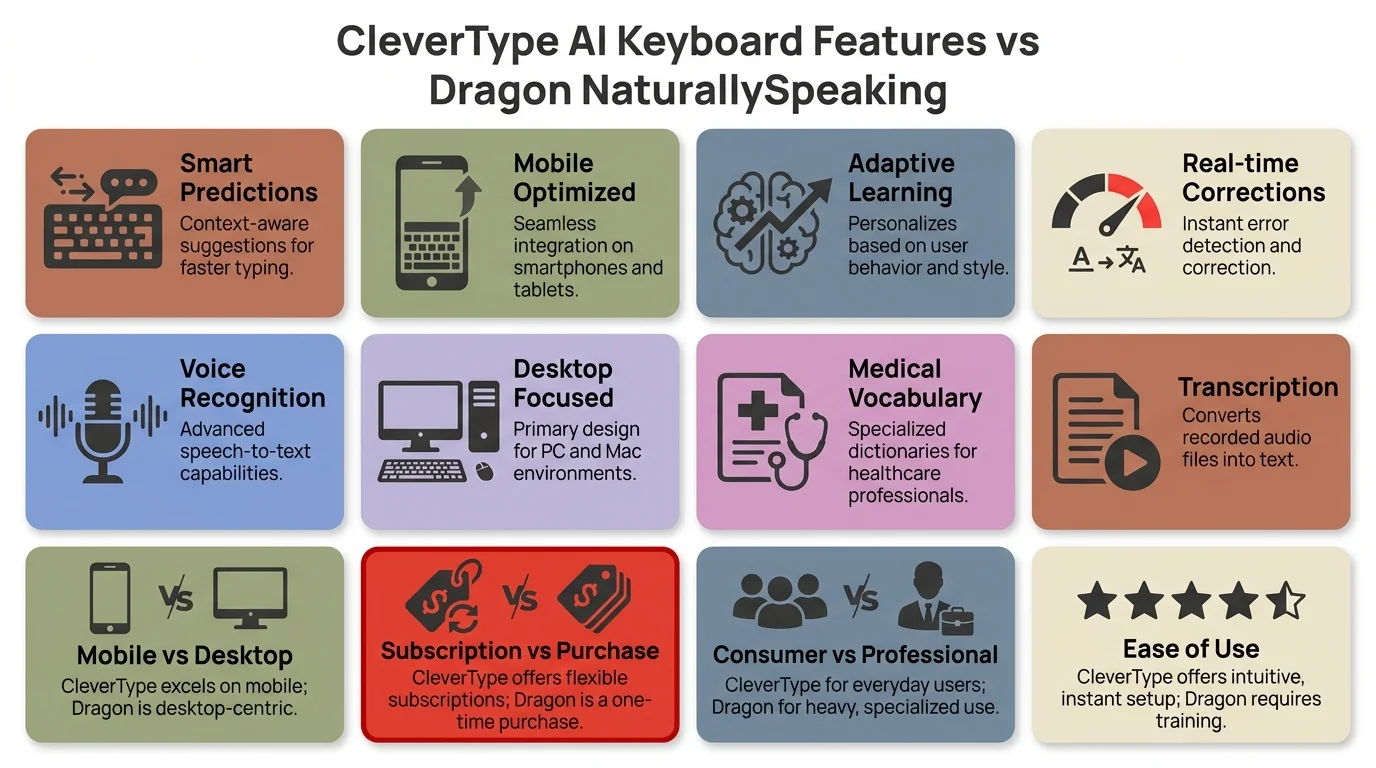
Key features at a glance: CleverType AI keyboard capabilities vs Dragon NaturallySpeaking
Frequently Asked Questions
Is there a free Dragon NaturallySpeaking alternative that actually works?
Yes — Google Docs Voice Typing is free and gets you 93–95% accuracy for general dictation. OpenAI Whisper is also free and hits 97%+, though it takes some technical setup to get running. For mobile users, CleverType is free and adds AI grammar correction on top of voice-to-text.
What is the best Dragon alternative for Mac in 2026?
Wispr Flow is the top pick for Mac users — works system-wide in all apps, automatically cleans up filler words, and costs $15/month instead of Dragon's $699. OpenAI Whisper is also great on Mac (Apple Silicon included) and is completely free, though you'll need to do a bit more setup.
How accurate is Dragon NaturallySpeaking compared to alternatives?
Furthermore, Dragon reaches 95–99% accuracy, but only after significant voice training. Nevertheless, Modern alternatives like Whisper (97%+ out of the box), Voicy (96–99%), and Wispr Flow (96–98%) match or beat Dragon from day one — no training required at all.
Can I get a dragon dictation alternative that works offline?
Therefore, Yes. OpenAI Whisper runs fully offline on Windows, Mac, and Linux. Therefore, CleverType processes voice locally for privacy. Superwhisper (a polished Whisper-based app for Mac) also works offline at $249 — still 64% cheaper than Dragon.
Is Dragon NaturallySpeaking still available for Mac?
No. Nuance discontinued Dragon for Mac entirely. If you're on a Mac, you need to switch — Wispr Flow, OpenAI Whisper, and Superwhisper are all solid options.
What's the cheapest Dragon replacement software that's still professional quality?
Furthermore, Voicy starts at $8.49/month ($102/year) and delivers 96–99% accuracy with system-wide dictation on Windows and Mac. OpenAI Whisper is free and technically more accurate, though it's less polished as a standalone app. On mobile, CleverType is free and adds AI writing features on top of basic dictation.
Does the dragon vs clevertype comparison hold up?
Consequently, They really do serve different use cases. Dragon is a desktop Windows tool built around deep voice command control. CleverType is a mobile AI keyboard — voice-to-text, grammar fixing, tone adjustment, smart replies. For mobile users or anyone who wants more than just transcription, CleverType does way more for a lot less money.
Ready to Type Smarter?
Additionally, CleverType fixes your grammar, adjusts your tone, suggests smart replies, and keeps everything private. If you spend a good chunk of your day typing on your phone, it's genuinely worth trying.
Download CleverType FreeAvailable on Android • 100+ Languages • Privacy-First
Share this article:
Sources:
- OpenAI Whisper – Official Introduction
- OpenAI Whisper GitHub Repository
- MLCommons: Whisper MLPerf Inference Benchmark
- NovaScribe: How Accurate Is Whisper in 2026 (WER by Language)
- Zapier: The 9 Best Dictation and Speech-to-Text Software in 2026
- G2: Top Dragon Speech Recognition Alternatives & Competitors
- Capterra: Best Dragon Alternatives 2026